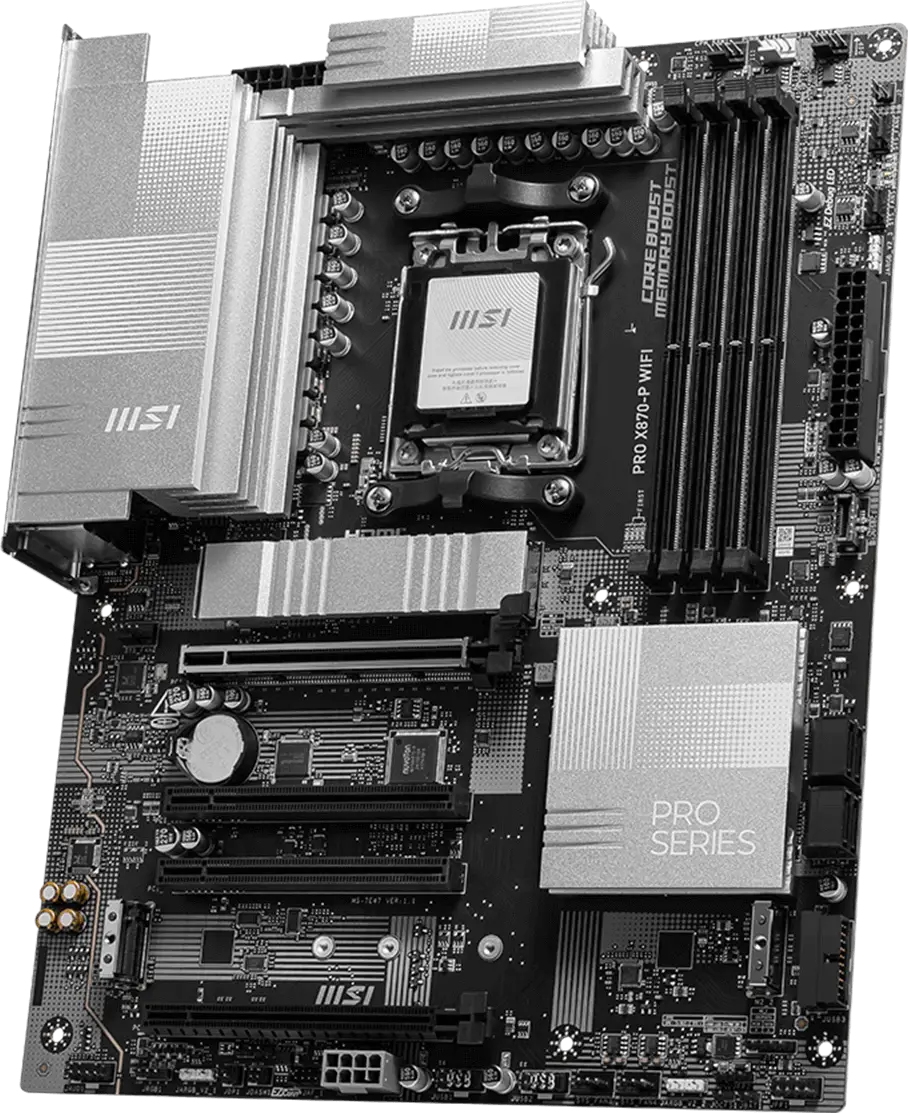
PRO X870-P WIFI offers a simple design with a harmonious silver color scheme that perfectly matches both white and black PC builds. It is engineered with many exclusive features of MSI, a true Wi-Fi 7 with EZ Antenna, 5G LAN, PCIe 5.0 M.2 with EZ M.2 Shield Frozr II, and Supplemental PCIe Power, ready for the AMD Ryzen™ 9000 series processors.


Less steps, control easily

14+2+1 DRPS

One-click overclocking

Extended Heatsink Design
M.2 Shield Frozr

Flawless Wi-Fi 7 & 5G LAN
fast USB 4 connection

Optimized UI / UX design


The PRO Series is tailored to professionals from all walks of life. The lineup features impressive performance and high quality, while aiming to provide users incredible experience. Users who care about productivity and efficiency can definitely count on the MSI PRO Series to assist you with multitasking and increasing efficiency.
EXCLUSIVE FEATURES


Digital PWM

Pre-installed I/O Shield

PCIe Steel Armor


8-layer Server-grade PCB with 2oz Thickened Copper

2x 8 Pin Power Connectors

EZ PCIe Clip II

EZ Conn Design
HIGH-SPEED TRANSMISSION


USB 40Gbps Type-C

5G Network Solution

Latest Wi-Fi 7


DDR5 Support

Lightning Gen 5
PREMIUM THERMAL SOLUTIONS


Extended Heatsink

EZ M.2 Shield Frozr II

Pump Fan Support
EZ DIY
- ONE-FINGER
- ONE HAND
- ONE STEP
- ONE GLANCE
- EZ M.2 INSTALLATION
- EZ GPU INSTALLATION
- EZ BUTTON
The EZ M.2 Shield Frozr II is a tool-free cooling solution designed to protect your M.2 SSDs while ensuring optimal thermal performance. This upgraded version, compared to the previous design, features two notches on the back of the heatsink for better alignment with the motherboard slot. With just one finger, you can easily install or remove the M.2 heatsink, making the installation of your M.2 SSD more convenient.

MSI’s exclusive EZ M.2 CLIP II makes M.2 installation seamless. Insert the SSD card into the slot and press it down to lock it in place with the clip. As fasten the SSD, flick the clip outwards and then the SSD is removed. The process is smooth, and you don’t need to use your tools like before. One finger can give you perfect DIY experience.

Introducing MSI’s EZ M.2 CLIP II Remover, a handy tool designed to simply switching or repositioning the EZ M.2 CLIP II on your motherboard. This tool allows users to effortlessly detach the EZ M.2 CLIP II from the motherboard and reattach it to any desired M.2 slot. It is included in the accessory kit that comes with MSI motherboards.

One Finger for EZ GPU Installation
The new EZ PCIe Clip II, located on the first slot, features the rebounding force mechanism that allows for easy removal of the graphics card by pressing the tail-like lock with one finger. Due to this exquisite design, users can uninstall the graphics cards effortlessly, even in the cramped case spaces.


MORE FOR DIY FRIENDLY

CPU and memory not required. Leam more

- EZ Mounting
EZ MOUNTING
MSI motherboards circuitry ensure the case standoff keep out zones are pure and clean. Moreover, the protective paint is printed around each screw hole to prevent parts from being scratched or damaged to the motherboard.

Avoid Collision Notification

Keep Out Zone

Double ESD Protection
- EZ Conn-Design
- DRIVER UTILITY INSTALLER
EZ Conn-Design (JAF_1)
The MSI exclusive JAF_1 header allows MPG EZ120 ARGB fan to operate with a single cable. Alternatively, the JAF_1 header can be converted into additional ARGB Gen 1 and fan headers by using a dedicated 1-to-2 EZ Conn-cable, streamlining and optimizing the entire building process.


MSI DRIVER UTILITY INSTALLER
Once connected to the internet, MSI Driver Utility Installer will detect and present suitable drivers and utilities automatically, you can download and install with just a few clicks. Learn more
*Please ensure to connect the internet, or the Driver Utility Installer won’t launch automatically.
*MSI Driver Utility Installer will be ready in Windows 11 build 22H2.

- EZ DEBUG
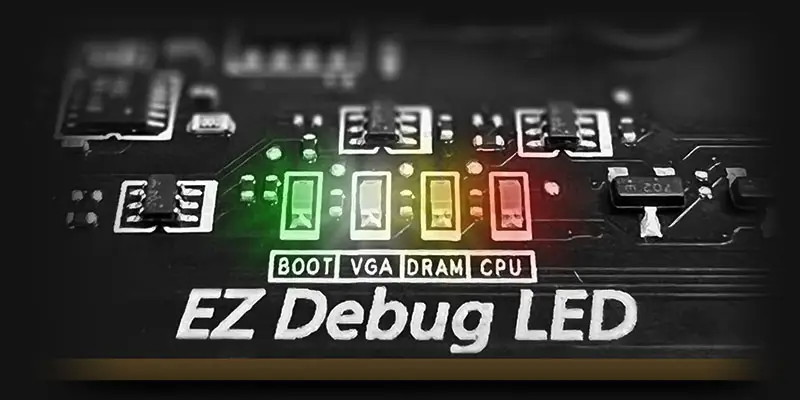
EZ DEBUG LED
Onboard LEDs will indicate the source of the problem so you know exactly where to look to get up and running again.
ULTRA PERFORMANCE
- Power Solution
- memory
- PROTECTION
- EZ OC TUNING
- MORE FOR PERFORMANCE
MSI exclusive Performance Preset is a more intuitive way to boost performance by setting the power limitation as your preference. There are two level setting – PBO Auto & PBO Enable.

Performance Switch combines the benefits of AMD default PBO(Precision Boost Overdrive) and MSI’s own OC settings, provides higher CPU performance in both status of single-core and multi-core. This is for users who dare for the maximum performance.


MSI PBO Thermal profiles are setting maximum CPU temperature at 85°C, 75°C and 65°C levels. With the thermal profiles, the CPU operates at lower voltage and temperature but remaining the same performance.

Config TDP is designed to provide ECO Mode (65W) or different TDP (PPT/TDC/EDC) settings for advanced users. By offering several profiles for different TDP settings in Click BIOS 5, Config TDP makes setting TDP profiles easier and don’t need to modify settings manually for each TDP.

MORE FOR PERFORMANCE


- HIGH-EFFICIENCY MODE
The High-Efficiency Mode is designed to optimize memory performance byincreasing memory bandwidth and reducing latency. With the four sets of RAM timing settings, it allows users to find out the optimal configuration based on the quality of their memory modules.

- TVS
- SOLID PIN DESIGN
- STAINLESS STEEL IO
- OCP Protection
- GROUNDING STRUCTURE
Transient Voltage Suppressors (TVS)
Transient Voltage Suppressors (TVS) are safety devices used to protect against excessive voltage. All motherboard models of MSI are equipped with TVS. When the voltage abnormally rises, the TVS switches from a high-resistance state to a low-resistance state, diverting the excessive voltage to ground. This helps prevent circuit damage caused by high voltage.
solid pin design
The 4-pin, 8-pin, and 24-pin power connectors of MSI motherboards are all designed with solid pins. The solid pin design allows for a more stable transmission of 12V power to the CPU, even when handling high current loads.
Advantages of Solid Pin Power connector
- Improved stability : Larger contact area enhances stability during power delivery.
- Low impedance : Solid pins offer low impedance, enabling efficient power flow.
- Strong durability : The solid pin design ensures strong durability, capable of withstanding demanding conditions.
- Suitable for high-current applications.

Anti-corrosive Stainless Steel IO Shield
An extra layer of sponge materials along with corrosive resistance IO Shield to help improve static electricity and reduce electromagnetic radiation noise from the system as well as much more durable compare to traditional IO Shields.


* The image above is an illustrative reference. Please refer to specification pages for more details.
Over Current Protection
MSI motherboards prioritize safety with the embedded Overcurrent Protection (OCP), ensuring crucial components such as the USB ports, DDR memory, PWM IC, and CPU are shielded from excessive current. This proactive defense mechanism curtails the risk of damage or malfunction due to power surges, promoting long-term system stability. This commitment to safeguarding your hardware underscores MSI's dedication to producing motherboards that prioritize durability and stability.


The Grounding Structure of Power Phases
The grounding structure of power phases is the MSI's exclusive design. This patented design enables to suppress the electromagnetic interference (EMI) generated by the power phases and helps to efficiently conduct heat to the copper plane with grounding properties.


FROZR DESIGN
TRILINK
- networking
- storage
- Expansion
- FLAWLESS CONNECTION
- WIFI 7 Solution
- AI Lan Manager
HIGH-BANDWIDTH AND LOW-LATENCY NETWORK
MSI's premium network solution provides incredible data transfer speed for demanding users.


5G LAN

Wi-Fi 7

EZ Antenna with Magnetic Stand
THE NEXT GEN WI-FI SOLUTION – WI-FI 7
Wi-Fi 7 is the latest wireless solution that takes a huge leap forward with multiple improvements to meet the traffic demand brought and the growing number of wireless devices.
*Windows 11 compatibility only
Wi-Fi 7 (802.11be) introduced higher speeds, wider channels, improved efficiency, and reduced latency over Wi-Fi 6 (802.11ax). It also improved battery life and provided better performance in crowded environments.
The Wi-Fi 7 provides maximum speeds to a whopping 5.8 Gbps! 2.4 times faster than previous Wi-Fi 6/6E standards, Wi-Fi 7 is set to be the wireless standard of the future.
Previous Wi-Fi generations have had to make do with 160MHz channel widths. Wi-Fi 7 brings this width up to 320MHz (on 6GHz) – ensuring better reliability during simultaneous transmissions at max speeds.
The higher QAM(Quadrature Amplitude Modulation) value, the more data each packet can carry. Wi-Fi 7 improves the modulation scheme from 1024-QAM to 4096-QAM – boosting peak transmission rates and network capacity.
Wi-Fi 7 enables devices to simultaneously send and receive data across several frequency bands and channels to meet the traffic demand brought and the growing number of wireless devices.
AI LAN Manager
MSI AI LAN Manager automatically classifies and prioritizes the latency-sensitive applications for online games, giving you the best online gaming experience with low latency.
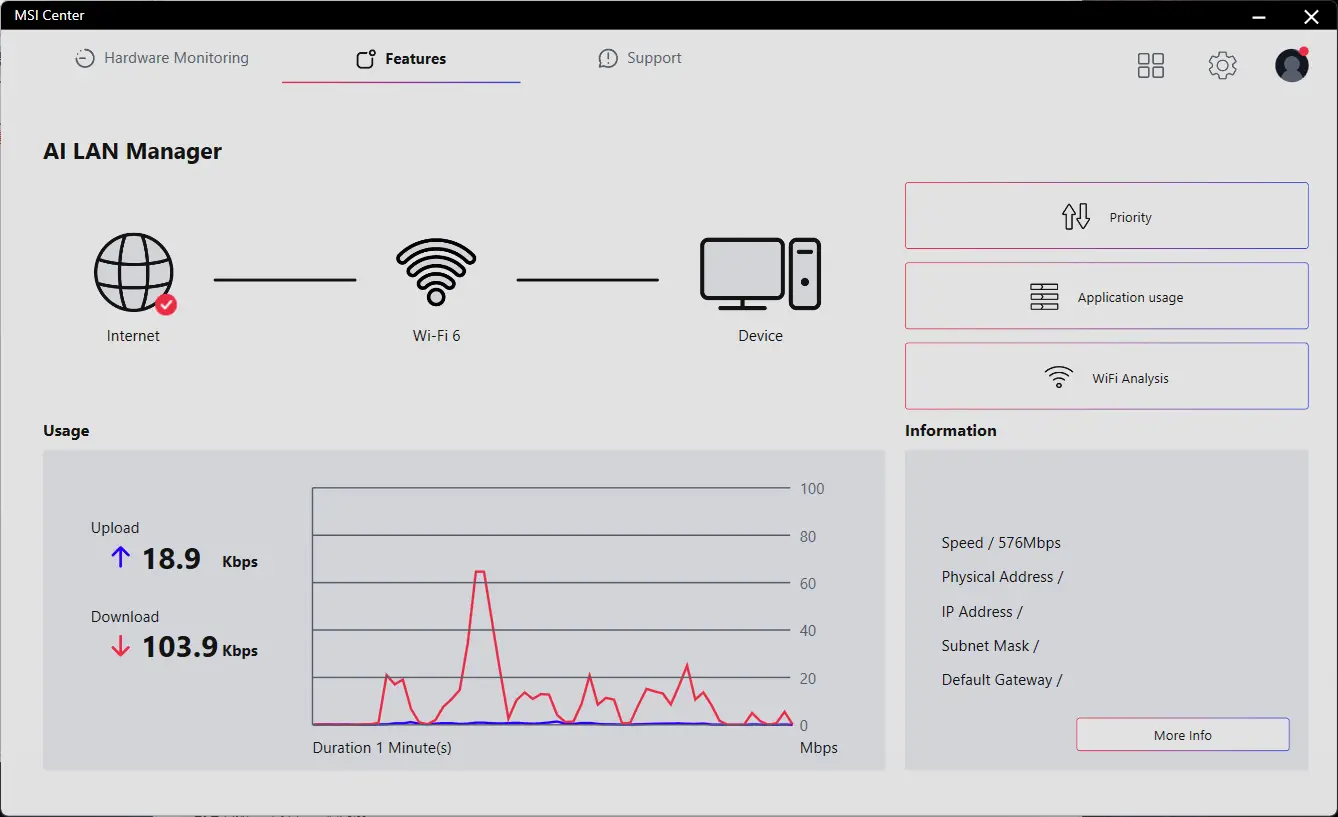
MSI AI LAN MANAGER
- Automatically prioritizes games above other applications
- Allows to change applications' traffic priority
- Allows to customize bandwidth for each application
- Analysis Wi-Fi signals to select the best source.
- USB4
- FRONT USB TYPE-C
The MSI motherboards incorporate the latest USB4 technology, offering users the full range of benefits.

Transfer rate of up to 40Gbps
Transfers large files faster than before

Multiple device connectivity
Enables to connect multiple devices through a single port

Dynamic bandwidth sharing
Allows simultaneous transfer of data, images and videos and so on
USB FRONT TYPE-C
MSI PRO motherboards support USB Front Type-C that allows gamers to connect with the latest USB devices. Built up a system with MSI PC case to have the most convenient experience.


Experience
- audio
- Audio Boost
- Isolated Analogy Structure
audio boost
- HIGH DEFINITION AUDIO PROCESSOR
- HIGH QUALITY AUDIO CAPACITORS
- HIGH QUALITY AUDIO JACKS
- ISOLATED AUDIO SIGNAL
- DE-POP PROTECTION


The Isolated Analogy Structure for Audio Connectors
To provide clear voice, MSI develops a unique structure – Isolated Analogy Structure. The external metal framework of the audio connectors is separated from the internal layout, which ensures the sound quality crisp.


* The image above is an illustrative reference. Please refer to specification pages for more details.

BUILD FOR THE MOST ADVANCED PC FOR GAMING AND CREATING
When only the fastest will do, an AMD X800-series motherboard delivers. With USB 4.0 onboard along with robust overclocking1 capabilities, featuring faster dual-channel DDR5 memory support, AMD EXPO™ technology and PCIe® 5.0 support for both graphics and NVMe, you can play the most demanding games and deliver your biggest projects with the revolutionary performance of an AMD X800-series motherboard and AMD Ryzen™ 9000, 8000, and 7000 Series processors.
- Overclocking and/or undervolting AMD processors and memory, including without limitation, altering clock frequencies / multipliers or memory timing / voltage, to operate outside of AMD’s published specifications will void any applicable AMD product warranty, even when enabled via AMD hardware and/or software. This may also void warranties offered by the system manufacturer or retailer. Users assume all risks and liabilities that may arise out of overclocking and/or undervolting AMD processors, including, without limitation, failure of or damage to hardware, reduced system performance and/or data loss, corruption or vulnerability. GD-106.
© 2024 Advanced Micro Devices, Inc. All rights reserved. AMD, the AMD Arrow logo, Radeon, Ryzen and combinations thereof are trademarks of Advanced Micro Devices, Inc. Other product names used in this publication are for identification purposes only and may be trademarks of their respective owners.
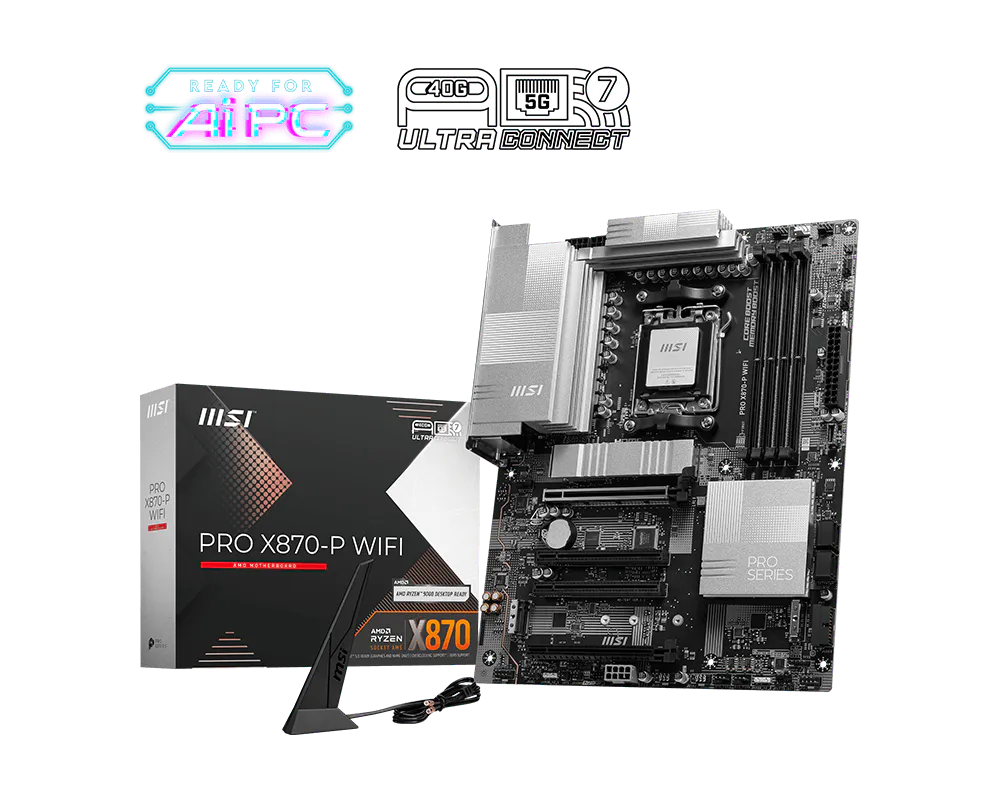
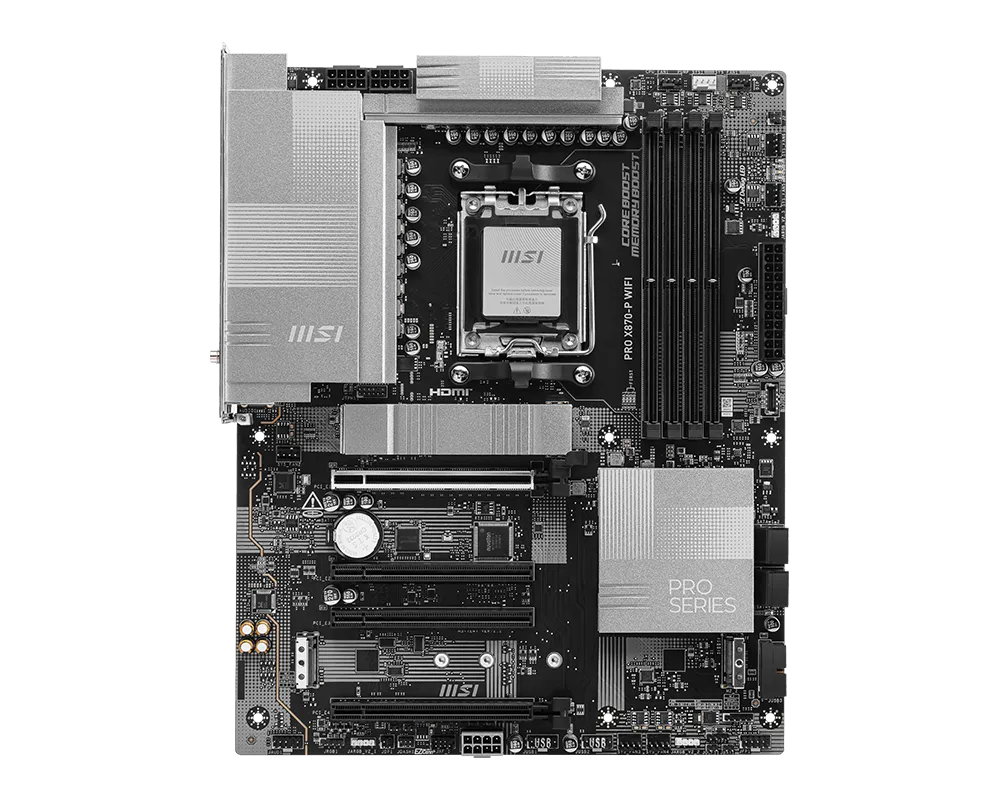
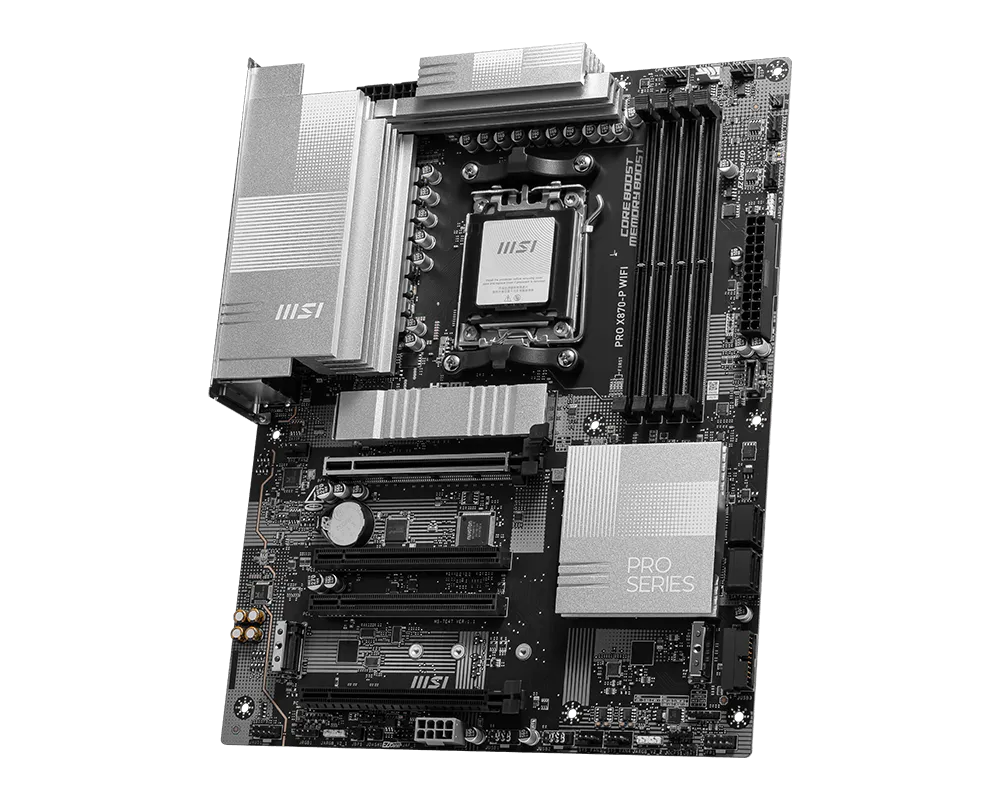
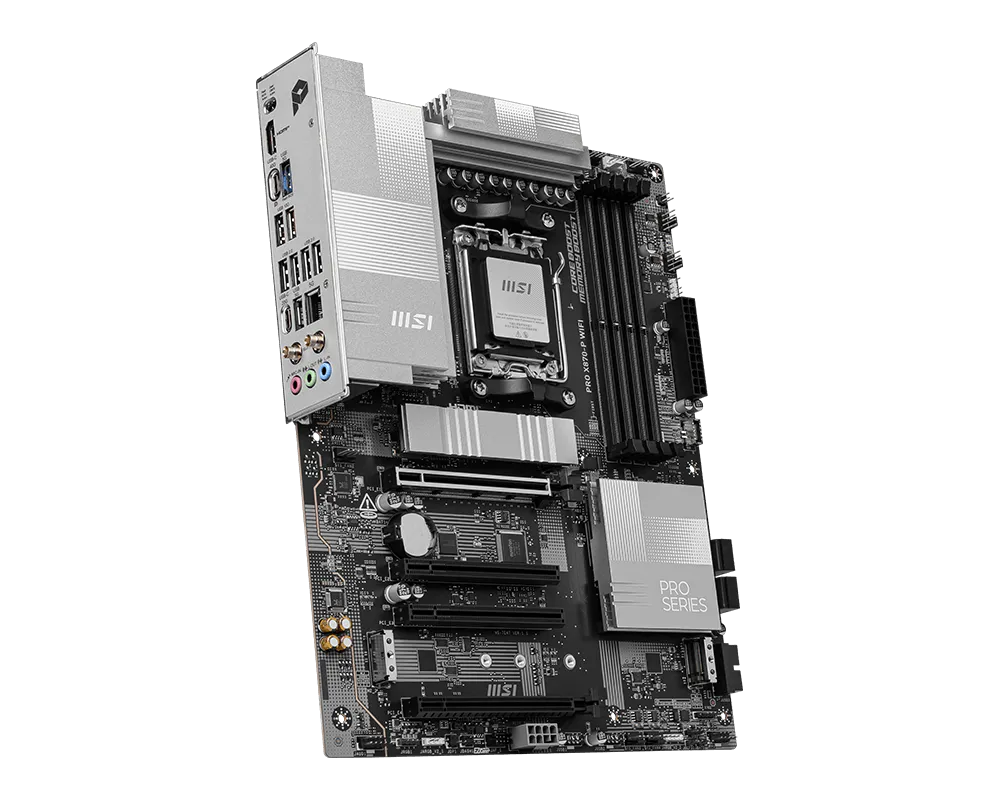
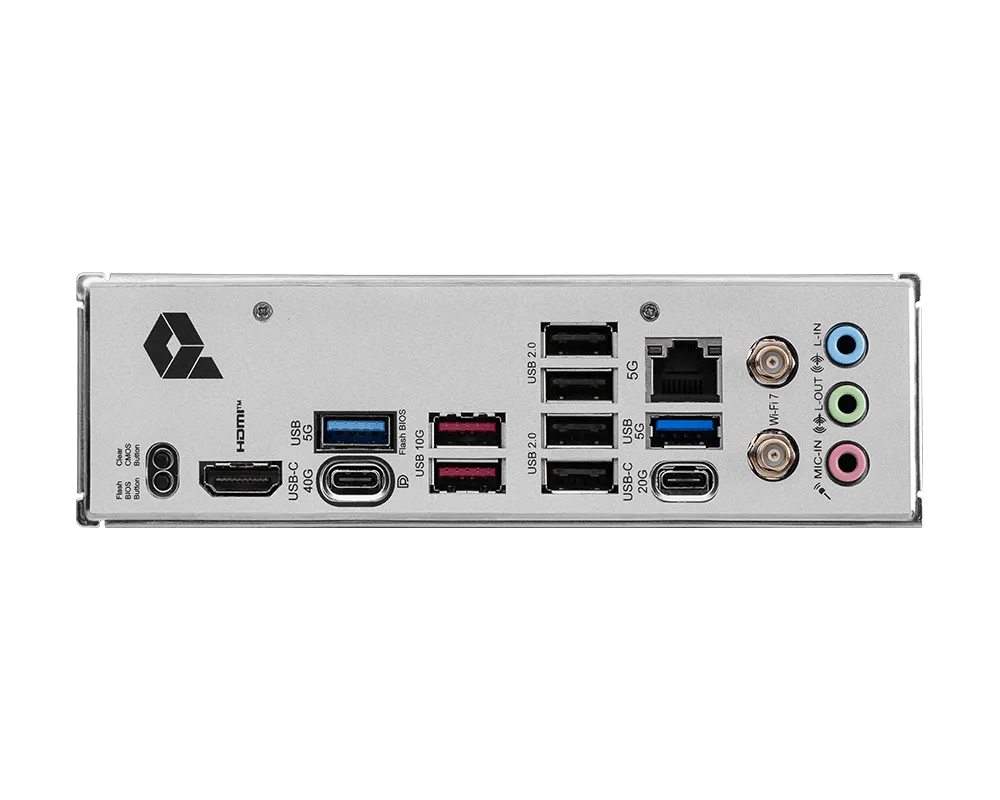
PRO X870-P WIFI
- Supports AMD Ryzen™ 9000 / 8000 / 7000 Series Desktop Processors
- Supports DDR5 Memory, Dual Channel DDR5 8200+ MT/s (OC)
- Ultra Performance: 14+2+1 Duet Rail Power System, dual 8-pin CPU power connectors, Core Boost, Memory Boost, 8-layer PCB made by 2oz thickened copper and server-grade level material
- Frozr Guard: Extended Heatsink, MOSFET thermal pads rated for 7W/mK, additional choke thermal pads and EZ M.2 Shield Frozr II are built for high performance system and non-stop experience
- EZ DIY: EZ M.2 Shield Frozr II, EZ M.2 Clip II, EZ PCIe Clip II and EZ Antenna
- Lightning Fast Game experience: PCIe 5.0 slot, Lightning Gen 5 x4 M.2
- Ultra Connect: USB4 and 5G LAN with Wi-Fi 7 Solution - the latest solution for professional and multimedia use, delivering secure, stable, and high-speed networking and data transmission
- Audio Boost: Reward your ears with studio grade sound quality for the most immersive gaming experience