Who Is Better? MSI AI Care Sensor or Traditional Sensor?
Monitors
What Makes AI Care Sensor Special?
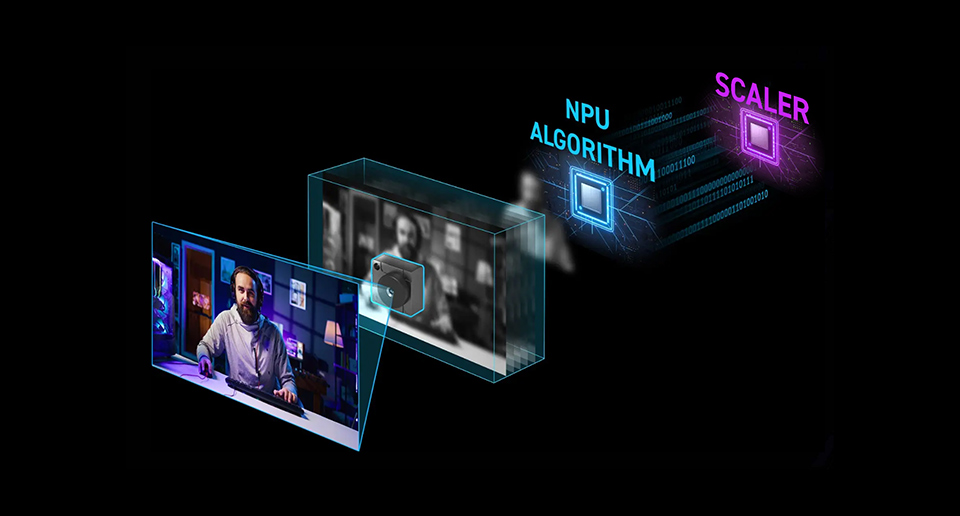
- Adopts CMOS with NPU Algorithm, making it more precise.
- Locally run to ensure the information security.
MSI AI Care Sensor is designed to protect OLED screens from burn-in with real human detection. By detecting when the user is away and automatically turning off the screen, then turning it back on upon their return, it enables smart OLED management and provides greater convenience for the user.
Compared to other brands that use traditional sensors, the AI Care Sensor added by MSI for OLED protection mechanism utilises advanced AI technology, enabling it to recognise whether someone is in front of the screen with much greater precision and accuracy.
Traditional sensors may experience inaccurate detection when users wear dark clothing, and are prone to false triggers when other objects obstruct the path between the user and the sensor. Utilising the AI Care Sensor, however, maximises the prevention of these false positives.
Compare the Advantages between AI Care Sensor and Traditional Sensor
-
AI Sensor Care
Traditional Sensor
Field of View
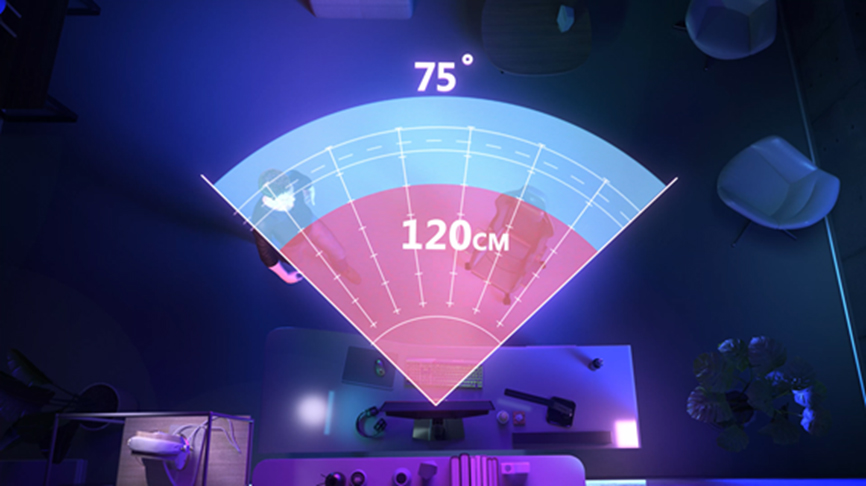
75°
25°
Supported Mode
Windows 11 / Gaming Intelligence APP / OSD Menu
Only OSD Menu
Lock on Leave
Highly Customizable
May cause false detection.
Adaptive Dim
Yes
*System Mode: Only works on laptops, not desktop PCs.
*System Mode: Only works on laptops, not desktop PCs.
N/A
AI Brightness
Yes
*System Mode: Only works on laptops, not desktop PCs.
*System Mode: Only works on laptops, not desktop PCs.
N/A
AI Light Sensor
Yes
*System Mode: Only works on laptops, not desktop PCs.
*System Mode: Only works on laptops, not desktop PCs.
N/A
Compared to other brands, the MSI AI Care Sensor boasts a wide detection range of up to 75 degrees. However, does a broader coverage area make it more prone to false triggers? The answer is no. Because the AI Care Sensor adopts advanced AI technology featuring precise Real Human Detection, it can precisely recognise humans and effectively distinguish between people, objects, and pets. Therefore, even with a larger detection range, false positives are highly unlikely to occur. Additionally, the integration of AI Brightness and the AI Light Sensor dynamically adjusts colour temperature and brightness according to ambient light, delivering optimal visual comfort under any environment.
AI Care Sensor Has Two Modes for Supports Multiple Devices
AI Care Sensor has two modes, one is System Mode, another one is Monitor Mode.
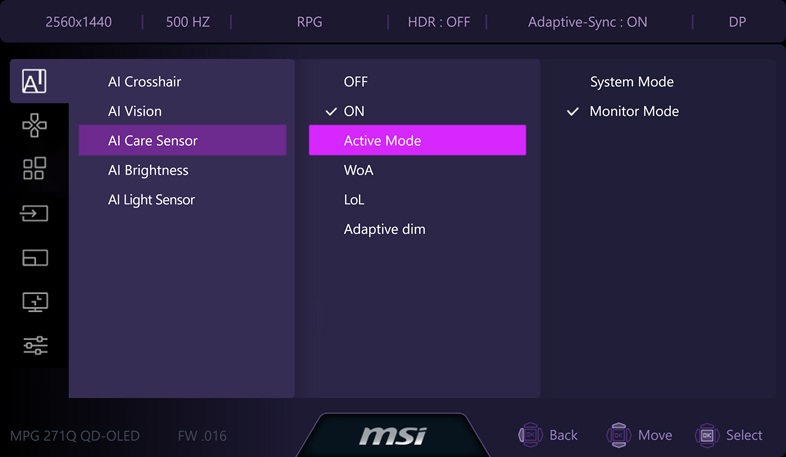
System Mode:
System Mode integrates with Windows 11 and is tailor-made for the Windows ecosystem. Before activating System mode, please ensure the following conditions are met:
- Windows 11 version is 24H2 or later.
- DP cable or HDMI cable + USB Type-A to B cable connecting to your monitor and device / USB Type-C cable (video and data transmission support required) connecting to your monitor and device.
When you are in System Mode, the AI Care Sensor’s functions are controlled by Windows 11.
Monitor Mode:
Monitor Mode, on the other hand, is ready to use with no additional setup required. You can easily control the features within the AI Care Sensor directly through either the OSD (On-Screen Display) Menu or the Gaming Intelligence (GI) APP. Monitor Mode is not limited to a specific system. Monitor Mode is compatible with Windows OS, MacOS, Linux, and consoles, etc.
MSI OLED Monitors Support AI Sensor Care List
Model
MPG 322UR QD-OLED X24
MPG 341CQR QD-OLED X36
MPG 271QR QD-OLED X50
PRO MAX 271UPXW12
FAQ:
Q1: Is it safe to use AI Sensor Care?
A1: For sure. AI Sensor only runs locally and won’t store anything.
Q2: Will not using the AI Care Sensor cause screen burn-in?
A2: Not using the AI Care Sensor does not mean your screen will definitely suffer from burn-in. The addition of the AI Care Sensor is meant to make this protection smarter.
Q3: Why won’t the AI Care Sensor work in a dark room?
A3: AI Care Sensor needs to work in ambient light of around 5–10 lux.